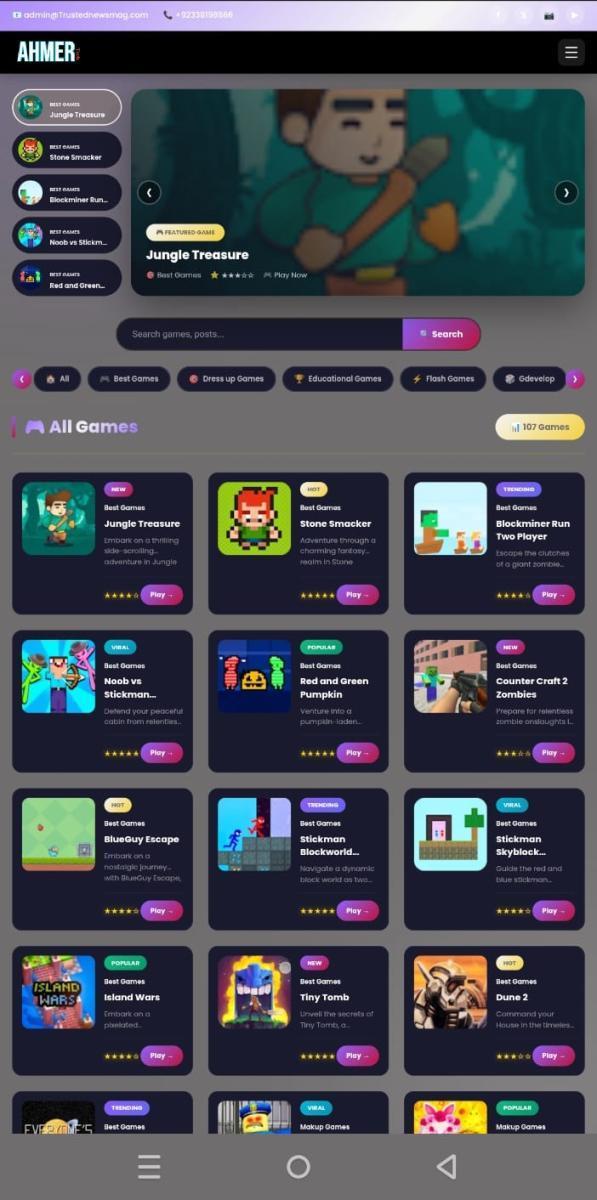

🚀 Generate Essential Website Pages in Seconds!
MKM All Pages Pro is a powerful WordPress plugin that creates professional essential website pages instantly using simple shortcodes. Stop wasting hours writing legal pages and contact forms manually!
With just one click, generate fully responsive, beautifully designed pages that automatically pull your site's information - site name, domain, and admin email are dynamically inserted into the content.
🎯 What Does This Plugin Do?
This plugin creates 5 essential pages that every website needs:
- 📧 Contact Form - Beautiful contact form with email notifications, social media icons, and professional article content
- 📖 About Us - Auto-generated about page with customizable topic/niche
- 📜 Terms & Conditions - Complete, legally-formatted terms page with 14+ sections
- 🔒 Privacy Policy - GDPR-compliant privacy policy with cookies information
- ⚠️ Disclaimer - Professional disclaimer covering all legal aspects
✨ Why Choose MKM All Pages Pro?
- ⏱️ Save Time - Generate pages in seconds, not hours
- 🎨 Professional Design - Modern, clean, responsive layouts
- 🔄 Auto Site Info - Automatically uses your site name, domain & email
- 📱 Mobile Friendly - Looks perfect on all devices
- 🔒 Secure - Nonce verification, sanitization, escaping
- 🌐 Translation Ready - Supports multiple languages
- 🧩 Page Builder Compatible - Works with Elementor, Divi, WPBakery, Beaver Builder
🔧 Available Shortcodes
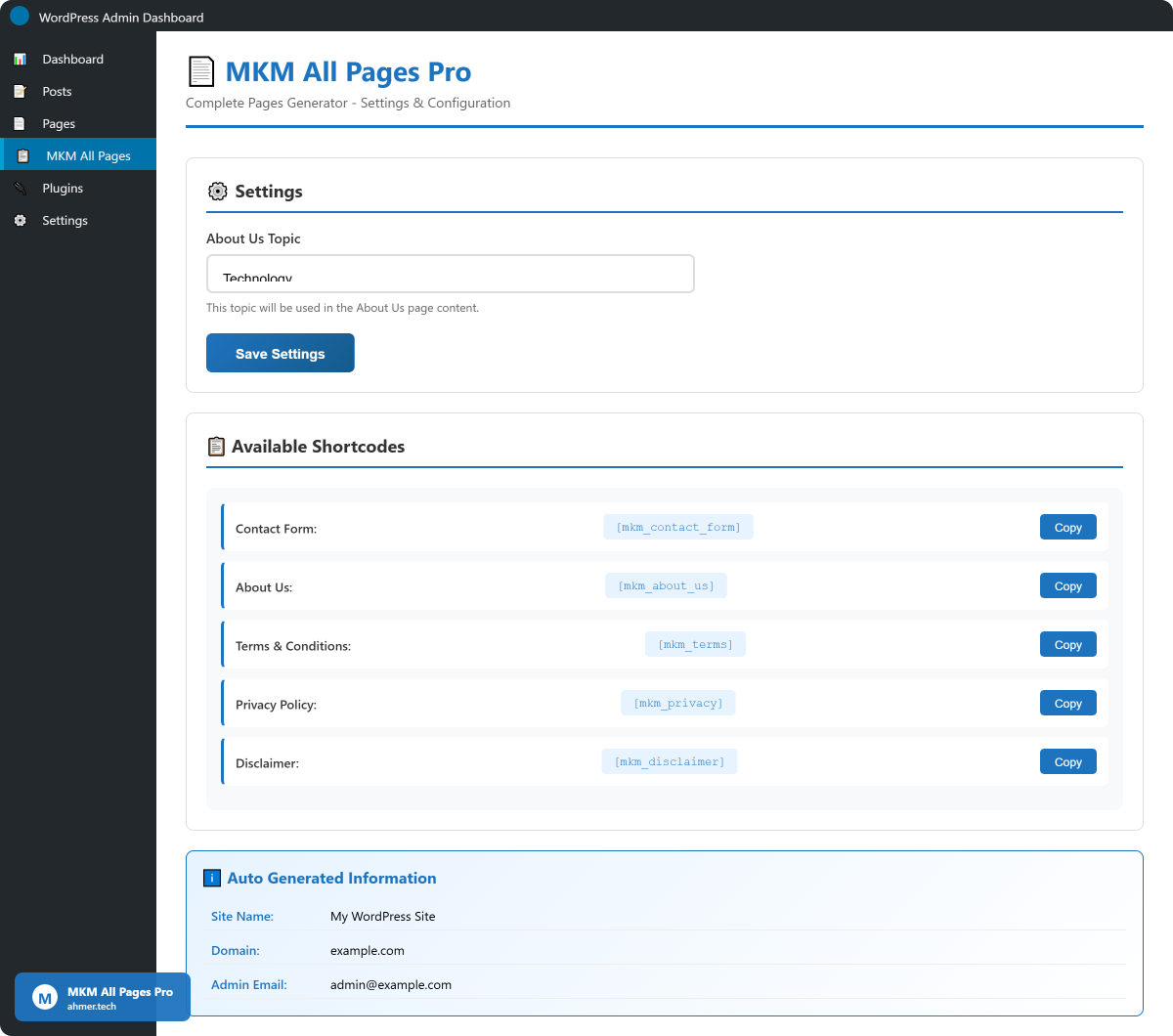
- [mkm_contact_form] - Contact form with email functionality & social icons
- [mkm_about_us] - About Us page with customizable topic
- [mkm_terms] - Terms and Conditions page
- [mkm_privacy] - Privacy Policy page (GDPR compliant)
- [mkm_disclaimer] - Disclaimer page
📧 Contact Form Includes
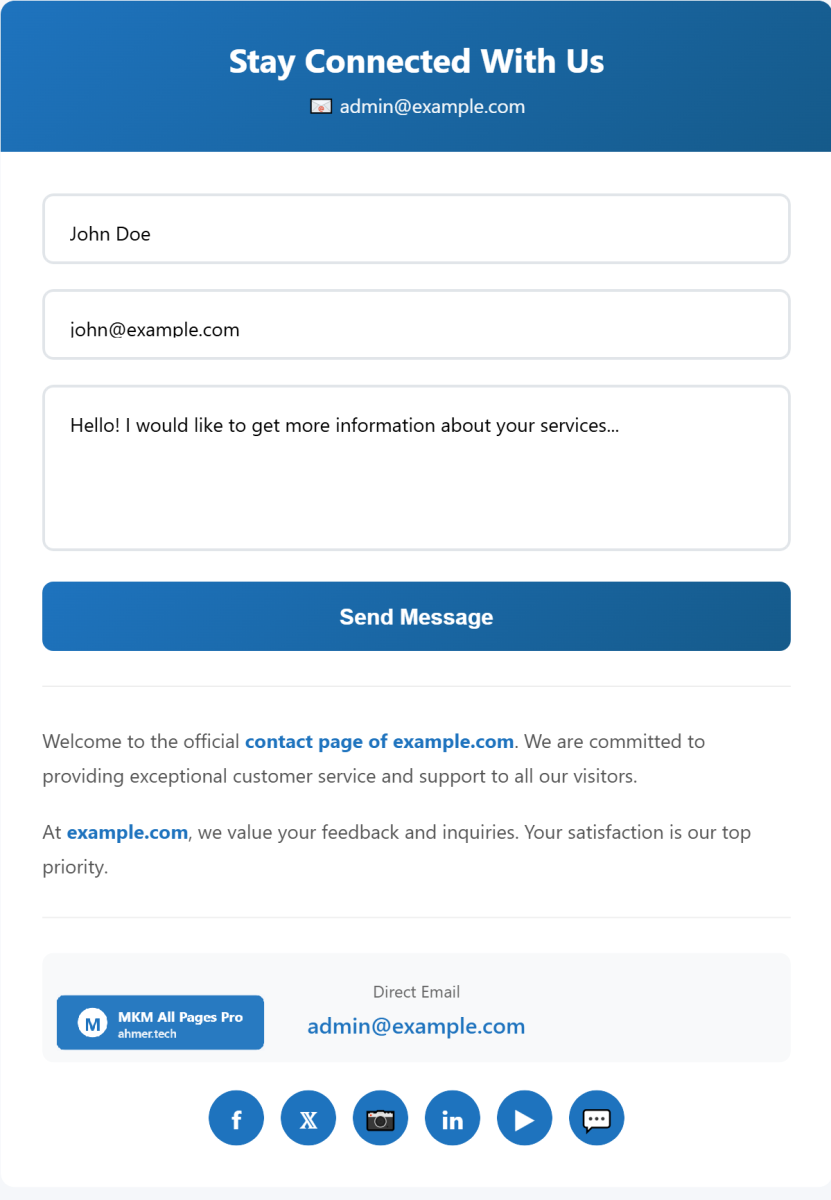
- Beautiful gradient header design
- Name, Email, Message fields
- Email notifications to admin
- Success/Error messages
- Professional 5-paragraph article content
- 6 Social media icons (Facebook, Twitter, Instagram, LinkedIn, YouTube, WhatsApp)
- Direct email link
- Spam protection with nonce verification
📜 Legal Pages Content
Terms & Conditions Includes:
- Interpretation and Definitions
- Acknowledgment
- Links to Other Websites
- Termination
- Limitation of Liability
- "AS IS" and "AS AVAILABLE" Disclaimer
- Governing Law
- Disputes Resolution
- For European Union (EU) Users
- United States Legal Compliance
- Severability and Waiver
- Translation Interpretation
- Changes to Terms
Privacy Policy Includes:
- Personal Data Collection
- Usage Data
- Tracking Technologies and Cookies
- Cookie Types (Session, Persistent, Necessary, Functionality)
- Use of Personal Data
- Data Sharing Scenarios
- Data Retention & Transfer
- Delete Your Personal Data
- Disclosure (Business, Law Enforcement, Legal)
- Security of Your Personal Data
- Third-party Services
- Children's Privacy
Disclaimer Includes:
- General Disclaimer
- External Links Disclaimer
- Errors and Omissions Disclaimer
- Fair Use Disclaimer
- Views Expressed Disclaimer
- No Responsibility Disclaimer
- "Use at Your Own Risk" Disclaimer
🔒 Security Features
- WordPress Nonce verification
- Complete input sanitization
- Proper output escaping (esc_html, esc_attr, esc_url)
- Capability checks (manage_options)
- Direct access prevention
- Safe URL redirects
🌐 Compatibility
- WordPress 5.0 to 6.4+
- PHP 7.2 to 8.2+
- All modern browsers
- Gutenberg and Classic Editor
- Elementor, Divi, WPBakery, Beaver Builder
- All major WordPress themes
- Multisite compatible
📦 What's Included
- Plugin files (fully documented code)
- Detailed HTML documentation
- Quick start guide
- Lifetime updates
- Premium support
📝 Changelog
Version 1.0.0 - Initial Release
- Contact Form with email notifications
- About Us page generator
- Terms & Conditions generator
- Privacy Policy generator (GDPR compliant)
- Disclaimer generator
- Social media icons integration
- Responsive design
- Translation ready
- Clean, documented code
📧 Contact Form
- Beautiful gradient header design
- Name, Email, Message input fields
- Email notifications sent to admin
- Success and error message display
- Professional 5-paragraph article content
- 6 Social media icons (Facebook, Twitter, Instagram, LinkedIn, YouTube, WhatsApp)
- Direct email link display
- Nonce verification for spam protection
- Fully responsive mobile design
📖 About Us Page
- Auto-generated professional content
- Customizable topic/niche from admin settings
- Dynamic site name, domain, email insertion
- 5 well-structured paragraphs
- Social media icons integration
- Clean, modern design
📜 Terms & Conditions
- Complete legal terms content
- 14+ sections included
- Interpretation and Definitions
- Limitation of Liability
- AS IS Disclaimer
- EU and US compliance sections
- Severability and Waiver
- Auto date update
🔒 Privacy Policy
- GDPR compliant content
- Personal data collection details
- Usage data explanation
- Cookies policy (3 types)
- Data sharing scenarios
- Data retention policy
- User rights (delete data)
- Third-party services disclosure
- Children's privacy section
⚠️ Disclaimer
- General disclaimer
- External links disclaimer
- Errors and omissions disclaimer
- Fair use disclaimer
- Views expressed disclaimer
- No responsibility disclaimer
- Use at your own risk disclaimer
🎨 Design & UI
- Modern gradient headers
- Clean Segoe UI typography
- Professional blue color theme
- Smooth hover animations
- Box shadows and rounded corners
- Mobile-first responsive design
- Cross-browser compatible
🔒 Security
- WordPress Nonce verification
- Complete input sanitization
- Proper output escaping
- Capability checks
- Direct access prevention
- Safe URL redirects
⚙️ Admin Panel
- Clean settings interface
- About Us topic customization
- Shortcode copy buttons
- Usage instructions
- Auto site info display
🌐 Compatibility
- WordPress 5.0 to 6.4+
- PHP 7.2 to 8.2+
- Gutenberg and Classic Editor
- Elementor, Divi, WPBakery, Beaver Builder
- All WordPress themes
- Multisite compatible
🌍 Internationalization
- Translation ready
- POT file included
- Proper text domain usage
📦 Code Quality
- WordPress coding standards
- Object-oriented PHP
- Separate CSS/JS files
- Fully documented code
- Clean file structure
Server Requirements
- WordPress Version: 5.0 or higher (tested up to 6.4)
- PHP Version: 7.2 or higher (recommended 8.0+)
- MySQL Version: 5.6 or higher
- Web Server: Apache or Nginx
- Memory Limit: 64MB minimum (128MB recommended)
WordPress Requirements
- WordPress 5.0 or higher
- Admin access (manage_options capability)
- wp_mail() function enabled for contact form
- Standard WordPress installation
Browser Support
- Google Chrome (latest)
- Mozilla Firefox (latest)
- Microsoft Edge (latest)
- Safari (latest)
- Opera (latest)
- Mobile browsers (iOS Safari, Chrome Mobile)
Recommended Hosting
- Any standard WordPress hosting
- Shared hosting supported
- VPS/Dedicated servers supported
- Cloud hosting (AWS, Google Cloud, DigitalOcean)
Email Requirements
- WordPress wp_mail() must be functional
- SMTP plugin recommended for reliable email delivery
- Valid admin email address in WordPress settings
No Additional Dependencies
- No external API required
- No third-party service needed
- No database tables created
- Uses WordPress options table only
🔧 Installation Method 1: WordPress Admin
- Download the mkm-all-pages-pro.zip file
- Go to WordPress Admin → Plugins → Add New
- Click Upload Plugin button
- Choose the downloaded ZIP file
- Click Install Now
- Click Activate Plugin
🔧 Installation Method 2: FTP Upload
- Extract mkm-all-pages-pro.zip
- Connect to your server via FTP
- Upload the mkm-all-pages-pro folder to /wp-content/plugins/
- Go to WordPress Admin → Plugins
- Find MKM All Pages Pro and click Activate
⚙️ Configuration
- After activation, go to MKM All Pages in WordPress admin menu
- Enter your About Us Topic (e.g., Technology, Health, Education)
- Click Save Settings
- Your site name, domain, and email are automatically detected
📄 Creating Pages
- Go to Pages → Add New
- Enter page title (e.g., "Contact Us")
- Click the + button to add a block
- Search for Shortcode block and add it
- Paste one of these shortcodes:
- [mkm_contact_form] - For Contact page
- [mkm_about_us] - For About Us page
- [mkm_terms] - For Terms & Conditions page
- [mkm_privacy] - For Privacy Policy page
- [mkm_disclaimer] - For Disclaimer page
- Click Publish button
- View your page - Done!
🔗 Adding Pages to Menu
- Go to Appearance → Menus
- Select pages you created
- Click Add to Menu
- Arrange menu items as needed
- Save menu
💡 Pro Tips
- Set About Us topic before creating the page
- Add legal pages to footer menu for easy access
- Use SMTP plugin for reliable email delivery
- Test contact form after setup
- Review legal pages content for your specific needs
🆘 Troubleshooting
Contact form not sending emails?
- Check if admin email is correct in WordPress Settings
- Install an SMTP plugin (WP Mail SMTP recommended)
- Check spam folder
Shortcode showing as text?
- Make sure plugin is activated
- Use Shortcode block, not Paragraph block
- Check for typos in shortcode
Styling issues?
- Clear cache (browser and WordPress)
- Check for theme CSS conflicts
- Add custom CSS if needed