Short Description
Professional PHP Blog & CMS Script with E-E-A-T Author System, Admin Panel, Ad Management, and Core Web Vitals Optimized. Perfect for blogs, news sites, and gaming portals. AdSense Ready & Mobile Responsive.
Description
MKM Blog CMS is a complete, professional PHP content management system built from scratch with modern SEO standards and Google's E-E-A-T (Experience, Expertise, Authoritativeness, Trustworthiness) guidelines in mind.
This script is perfect for anyone who wants to create a professional blog, news website, gaming portal, or content-driven website that is fully optimized for Google AdSense approval and search engine rankings.
🎯 Why Choose This Script?
- E-E-A-T Compliant: Built-in Author Profile system with bio, photo, and social links - exactly what Google requires in 2025-2026 for quality content sites.
- AdSense Ready: Clean code, proper ad placements (before content, in-content, after content, sidebar), and all trust signals that AdSense looks for.
- Core Web Vitals Optimized: Scores 95-100 on Google PageSpeed Insights. Fast loading, minimal CSS, optimized images.
- Mobile First: Fully responsive design that looks perfect on all devices.
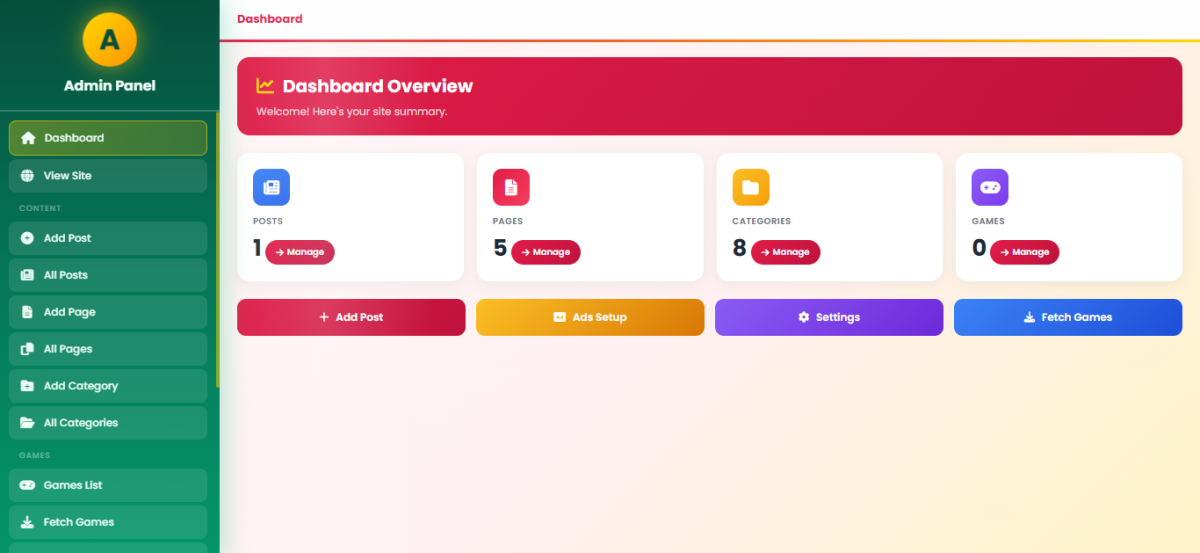
- Clean Admin Panel: Easy-to-use admin dashboard with beautiful light green sidebar design.
📄 Page Types Included
- Posts: Blog articles with categories, tags, featured images, views counter
- Pages: Static pages (About, Contact, Privacy, Terms)
- Games: Gaming portal with game listings and details
- Categories: Category archive pages with pagination
👤 E-E-A-T Author System
The built-in Author Profile system includes:
- Profile photo upload
- Display name
- Biographical information
- Social links: Facebook, Instagram, WhatsApp, Email, YouTube, TikTok
- Automatic author box display on all content pages
- Schema.org JSON-LD markup for SEO
- Toggle to show/hide author box
📱 Ad Management System
Multiple ad placement positions:
- Before content
- In-content (after 2nd paragraph - automatic)
- After content
- Sidebar top
- Sidebar bottom
- Header & Footer ads
This script was developed over 40+ hours with attention to every detail, ensuring clean code, security, and performance.
Features
🎨 Frontend Features
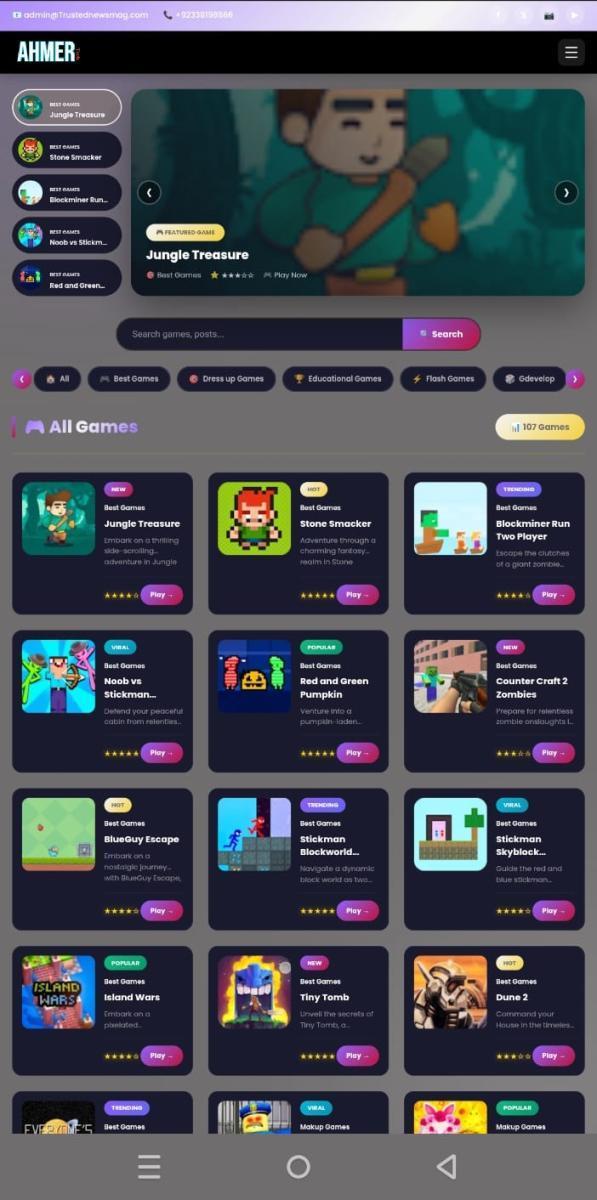
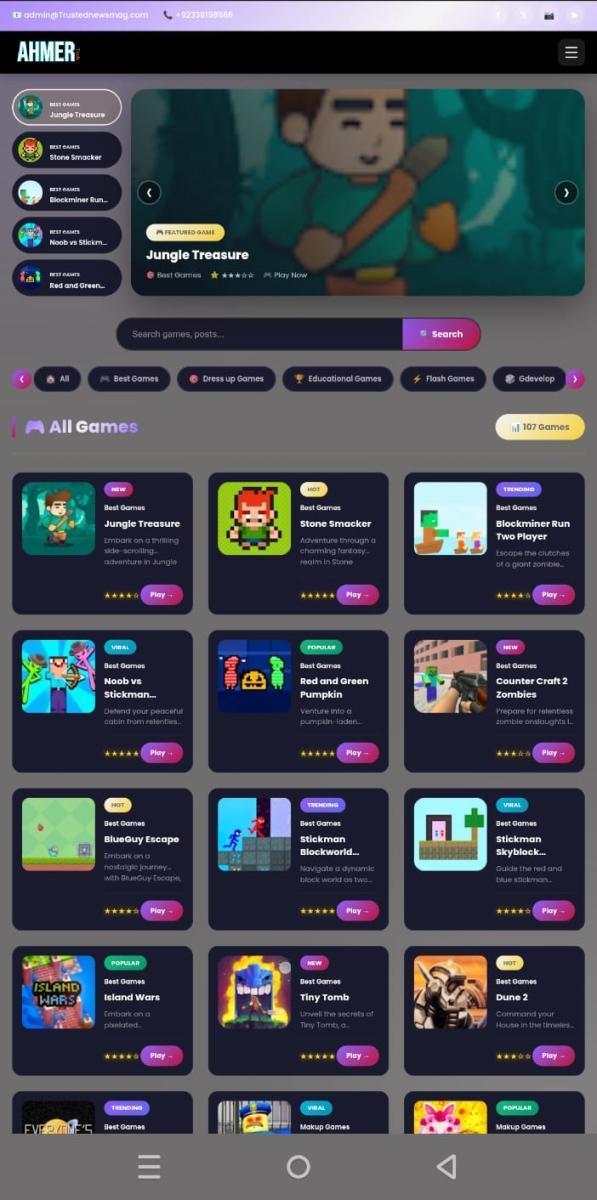
- ✅ Modern, clean dark theme design
- ✅ Fully responsive (Mobile, Tablet, Desktop)
- ✅ Core Web Vitals optimized (95-100 score)
- ✅ Fast loading (minimal CSS, no jQuery)
- ✅ SEO optimized with meta tags
- ✅ Open Graph tags for social sharing
- ✅ Schema.org JSON-LD markup
- ✅ Breadcrumb navigation
- ✅ Related posts section (3x2 grid)
- ✅ Social share buttons (Facebook, Twitter/X, WhatsApp, Copy Link)
- ✅ Author box with E-E-A-T compliance
- ✅ Reading time calculator
- ✅ Views counter
- ✅ Star ratings display
- ✅ Category badges (NEW, HOT, TRENDING, VIRAL, POPULAR)
- ✅ Sidebar with latest posts
- ✅ Mobile-friendly navigation
🔧 Admin Panel Features
- ✅ Clean WordPress-style admin interface
- ✅ Light green sidebar design
- ✅ Dashboard with statistics
- ✅ Posts management (Add, Edit, Delete)
- ✅ Pages management
- ✅ Categories management
- ✅ Games management
- ✅ Author profile management
- ✅ Site settings (Title, Logo, Favicon)
- ✅ Layout customization (Colors, Button text)
- ✅ Ad management system
- ✅ Image upload with preview
- ✅ CSRF protection
- ✅ Secure authentication
👤 E-E-A-T Author System
- ✅ Profile photo upload
- ✅ Display name
- ✅ Biographical information
- ✅ Facebook link
- ✅ Instagram link
- ✅ WhatsApp number
- ✅ Email address
- ✅ YouTube channel
- ✅ TikTok profile
- ✅ Auto-display on posts/pages/games
- ✅ Schema.org Person markup
- ✅ Toggle show/hide option
📱 Ad System
- ✅ Before content ads
- ✅ In-content ads (auto-insert after 2nd paragraph)
- ✅ After content ads
- ✅ Sidebar top ads
- ✅ Sidebar bottom ads
- ✅ Header ads
- ✅ Footer ads
- ✅ Supports Google AdSense
- ✅ Supports custom HTML ads
🔒 Security Features
- ✅ CSRF token protection
- ✅ SQL injection prevention
- ✅ XSS protection (htmlspecialchars)
- ✅ Secure session management
- ✅ Password hashing
- ✅ Input validation
🚀 Performance Features
- ✅ Minimal inline CSS (no external CSS files)
- ✅ No jQuery dependency
- ✅ Lazy loading images
- ✅ Optimized database queries
- ✅ Gzip compression ready
- ✅ Browser caching headers
Requirements
Server Requirements
| Requirement | Minimum | Recommended |
|---|---|---|
| PHP Version | 7.4+ | 8.0+ |
| MySQL Version | 5.7+ | 8.0+ |
| Web Server | Apache/Nginx | Apache with mod_rewrite |
| PHP Extensions | mysqli, json, session, fileinfo | |
Hosting Compatibility
- ✅ Shared Hosting (cPanel, Plesk)
- ✅ VPS / Cloud Hosting
- ✅ Dedicated Server
- ✅ LocalHost (XAMPP, WAMP, Laragon)
Browser Support
- ✅ Chrome (Latest)
- ✅ Firefox (Latest)
- ✅ Safari (Latest)
- ✅ Edge (Latest)
- ✅ Opera (Latest)
- ✅ Mobile Browsers
Instructions
📁 File Structure
your-website/
├── admin/
│   ├── index.php          (Dashboard)
│   ├── profile.php        (Author Profile)
│   ├── settings.php       (Site Settings)
│   ├── posts/
│   │   ├── add.php
│   │   ├── edit.php
│   │   └── list.php
│   ├── pages/
│   ├── categories/
│   └── games/
├── include/
│   ├── config.php         (Database Config)
│   ├── functions.php      (Helper Functions)
│   ├── header.php
│   ├── footer.php
│   ├── ads_helper.php
│   └── author_box.php     (E-E-A-T System)
├── uploads/
│   └── authors/
├── index.php              (Homepage)
├── post.php               (Single Post)
├── page.php               (Single Page)
├── game.php               (Single Game)
├── category.php           (Category Archive)
├── login.php
├── logout.php
└── .htaccess
🔧 Configuration
Edit include/config.php with your database details:
<?php
$db_host = 'localhost';
$db_user = 'your_username';
$db_pass = 'your_password';
$db_name = 'your_database';

$conn = new mysqli($db_host, $db_user, $db_pass, $db_name);
?>
How to Install
Step 1: Download & Extract
Download the ZIP file and extract it to your computer.
Step 2: Create Database
- Login to your cPanel or phpMyAdmin
- Create a new database (e.g.,
mkm_blog) - Create a database user with all privileges
- Import the
database.sqlfile
Step 3: Configure Database
- Open
include/config.php - Update database credentials:
$db_host = 'localhost';
$db_user = 'your_db_user';
$db_pass = 'your_db_password';
$db_name = 'your_db_name';
- Save the file
Step 4: Upload Files
- Upload all files to your web server via FTP or File Manager
- Upload to
public_htmlfor main domain - Or upload to a subdirectory for subdomain
Step 5: Set Permissions
- Set
uploads/folder permission to755or777 - Set
uploads/authors/folder permission to755or777
Step 6: Access Admin Panel
- Go to
https://ahmer.tech/login.php - Login with default credentials:
Username: admin
Password: admin123
- Important: Change password immediately after first login!
Step 7: Configure Your Site
- Go to Site Settings - Update site name, logo, favicon
- Go to Profile - Add your author information for E-E-A-T
- Go to Categories - Create your categories
- Go to Posts - Start creating content!
Step 8: Setup Author Profile (E-E-A-T)
- Go to Admin → Profile
- Upload your photo
- Enter your name and bio
- Add social media links
- Enable "Show author box on posts"
- Save!
🎉 Done!
Your website is now ready. Visit your domain to see it live!
Development Time
| Component | Hours |
|---|---|
| Database Design & Structure | 3 hours |
| Admin Panel (Dashboard, CRUD) | 10 hours |
| Frontend Pages (Post, Page, Game, Category) | 8 hours |
| E-E-A-T Author System | 4 hours |
| Ad Management System | 3 hours |
| Responsive Design & CSS | 5 hours |
| SEO & Schema Markup | 3 hours |
| Security Implementation | 2 hours |
| Testing & Bug Fixes | 4 hours |
| Documentation | 2 hours |
| Total Development Time | 44 hours |
Support & Updates
What's Included
- ✅ Full source code (non-encrypted)
- ✅ Database SQL file
- ✅ Documentation
- ✅ Free updates for 6 months
- ✅ Email support
Changelog
Version 1.0.0 (Initial Release)
- Complete Blog CMS system
- Admin panel with all features
- E-E-A-T Author system
- Ad management
- Mobile responsive design
- Core Web Vitals optimized
Demo
Live Demo: View Demo
Admin Demo:
- URL: ahmer.tech
- Username:
demo - Password:
demo123